
Kiteboarding Lessons
Do you want to learn how to kite board or get better at it? We offer kiteboarding lessons for riders of every level, age and back ground. Anyone can learn to kite board in St Petersburg. We have amazing conditions conducive to learning like nowhere else. Try our beginner, intermediate or advanced kiteboarding lessons offered 7 days a week. Our team has provided over 15 years of kiteboarding instruction. Some instructors have taught worldwide. Elite Watersports also provides all the gear needed for sessions. Most kiteboarding lessons are at the Sunshine Skyway bridge but we can teach other places too. Check out our YouTube Kite boarder Beginner Playlist to get a feel of some topics learned during your lessons.
Kiteboarding lessons we offer here at Elite Watersports

First Time Taste Test
2-4 hoursIf it's your first time, we want to keep it super fun and progressive and less about mastering. We will progress you fast and safely as possible with the goal of going on your first ride at the very end. We will miss details that would enable you to go out on your own but no worries, if you want to continue lessons most of our clients buy a kiteboarding lessons package, Scroll down for those options.
- First time students only
- $110/hour
- All kiting gear included
- Bring a friend for additional cost.
- Fast pace to see if you want to get into kiteboarding.
- You'll need to sign up for more lessons to be self sufficient.
Real lessons with Structure
2.5-4 HrThis option is for beginners to advance riders of all levels. Start where you left off if youve had lessons in the past. Youll stick with this program until you are riding and ultimatly staying up wind.
- 2.5-4 hour sessions. Most take 2-3x lessons minimium.
- All kiting gear included
- Focused on private one on one but we can teach your buddy with you
- Jet Ski supported when needed.
- Best way to get into kiteboarding and become self suficient.


Supervision
1-4 HrAt this point you are feeling good but maybe need a helping hand in setting you up for success. We will be there for you to help launch and land along with giving guidance for the days conditions. A must after you have bought gear and are ready to go out on your own. Or maybe you are new in the area.
- 1 to 4 hours with a instructor watching and helping you
- Bring your own gear
- The biggest step in your development
- Jet Ski supported when needed.
- The very best way to self discover.
Advance Progression
1-4 HrJumper higher, ride stronger, refine your style. We do it all. Some of our students do this lesson yearly. Its all about creating good foundation and building off of that.
- Learn new tricks
- Bring your own gear or use ours whichever is best for you.
- Boost bigger jumps
- Jet Ski supported when needed.
- Radio for better communication
- Learn to be the best rider you can be.
- Spark the fire back up!


Hydrofoiling Lessons
2 HourWe have been getting everyone into hydrofoiling since 2013. Hydrofiling behind a kite will offer you way more days on the water. Using our super easy board we promise you'll be upwind and foiling in no time. Read more about why you should get into hydrofoiling.
- Super easy and slow foil
- Use our foil specific kites
- learn on our big easy slow board
- Jet ski supported
- The very best way to ride more in Tampa Bay
Would you like to talk to us over the phone for more info?
Why Pick Elite Watersports?
- Our instructors are certified and also trained to our level of instruction. Our lead instructor will review your lesson everytime to maximize your progression. What we are all about.
- Free online lessons and support with exclusive pricing on all gear for students. Used, New and Closeouts.
- Family owned and operated since 2009
- We support the kite community in funraisers, competitions, beach clean ups and more.
- A fleet of Jet Skis so we can support all students and community of kiteboarders everyday.
- Awarded by AWSI = Kiteboarding Community retailer of the year for the USA and have been nominated for countless local small business awards.
- Annual domestic and International trips designed for kiteboarders.
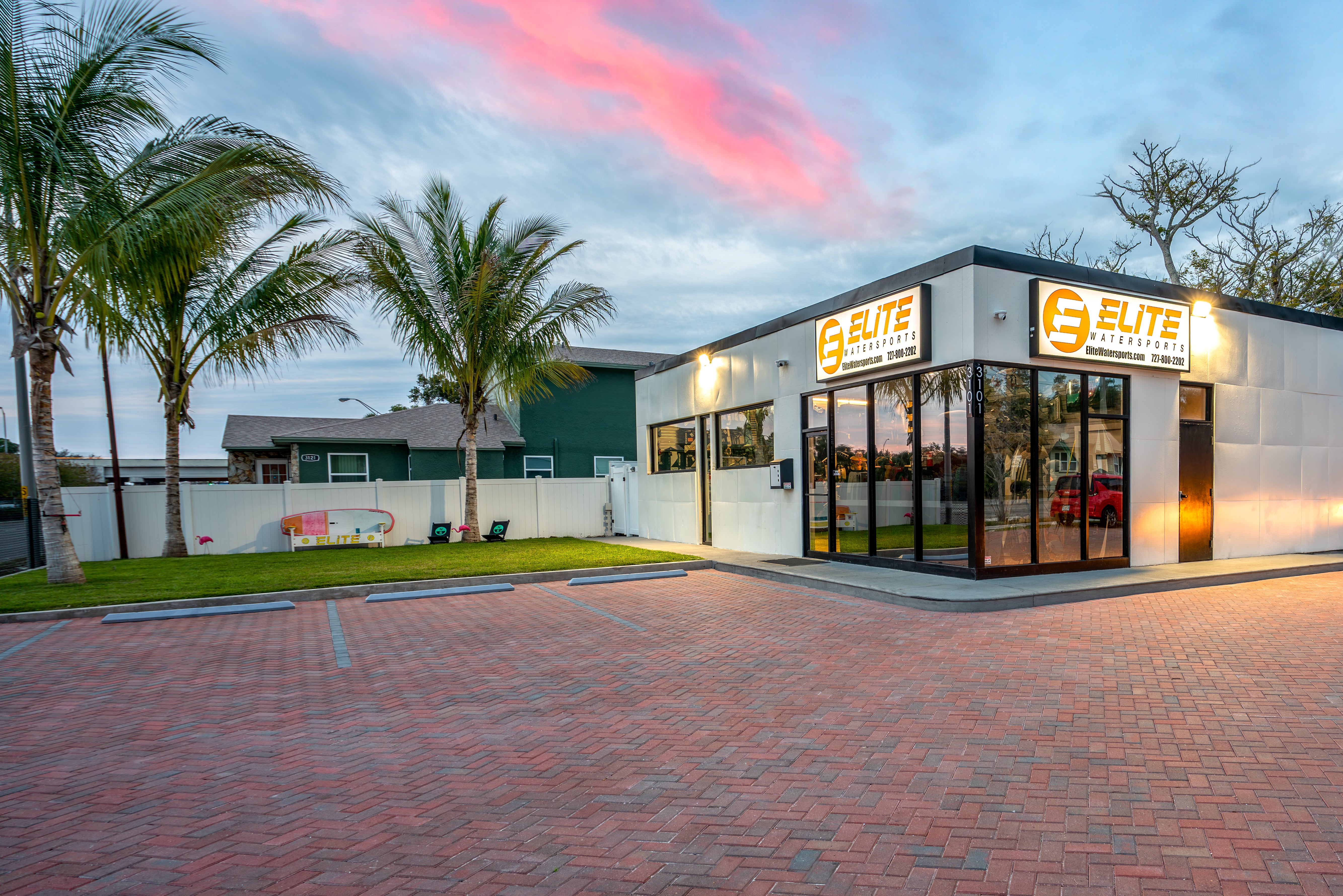
- We will be supporting you year round before during and after your lessons. Whether you are on the beach or in our brick and mortar. We repair gear, sell gear and warranty it. We will never steer you wrong and only want to establish a long term relationship.
Why we offer a JetSki support?
- We have a fleet of jetskis and know when to use them for kiteboarding lessons. All Kiteboarding packages include Jet Ski Support.
- By not using the jet ski we can lower the price of your first lesson. (TASTE TEST) Jet skis are left as an option but suggested to be used after your first lesson. Jet Ski will be included in all lesson packages at no addtional cost.
- A good instructor will use a jet ski as a tool. With every professional they need to know when to use that tool. Most kite lesson centers around the world do not or can not use a jet ski for support. We are fortunate to have the option but please believe in us to use it when it is benificial to our students.
- You do not need Jet Ski support for all lesson levels. Learning to launch your kite, walk out into the water and ride away from the beach needs to be apart of your lessons too. All to many schools miss this step which results in more paid lessons needed.
- In the long run, we produce equally as good of students with or without jetski support. Using the jetski in some lessons will fast track your progression but other lessons it will actually slow you down which causes you to take more lessons. Costing more $$$ and your valuable time. Our goal is to get you to ride with us.
- Trust our instructors to know when it is best for you and your kiteboarding progression. Remember you will not have us forever and if you become accumstome to using a jetski for support, what happens when you go out on your own?
- Our lead instructor reviews every students progression and will come up with a plan and review with your instructor before every lesson.
- We do use a jetski when you start to ride so that we can stay near you for help. But at somepoint we need to focus on short rides for maximised progression. The ultimate goal is to kiteboard up wind. and back to the beach you started on.




Frequently asked Questions
- Am I to old to start kiteboarding?
Our average student's age is from 45-65yr? Do you have to be strong? Whats the minimium age for kitesurfing. Read More - Is gear included in the lesson?
All kiteboarding gear is included with no hidden fees - Can I lose weight while kiteboarding?
Yes you can. Read More - When are lessons available on the weekends?
Open 7 days a week from sun up to sun down. If it's blowing we are going. Learn more about our local forecast. - Where do we teach beginner kiteboarding lessons?
We teach primarily at Skyway Beach on the North Side of the Skyway Bridge. But have many other locations - When is the best time of year to learn how to kiteboard?
Our prime season is September through mid June but summers can be really good too. - Is Tampa Bay a good spot to learn how to kiteboard?
Logistics, accomidations and enviroment make St Petersburg the easiest place to take kiteboarding lessons in the United States. Read More about the Skyway Bridge - Is it private kiteboarding lessons and/or can we bring a friend?
All lessons are designed to be one on one unless clearly stated that they are a group lesson. We strongly advise bringing a friend. - Do I have to do a beginner lesson first if I've taken kiteboarding lessons somewhere else?
We offer all levels of kiteboarding lessons. Beginner to advanced. Your instructor can accomidate all levels and will surely adapt to your level of needs.
How to save money on kiteboarding lessons.
You are taking kitesurfing lessons to do it on your own safely. Please follow this time line to save money and time.
- Kiteboarding Lesson #1: We get you hooked on kiteboarding! Stoke you out by not focusing on the hard to learn stuff. Hopefully you get a short ride. After your first kiteboarding lesson, if you love the thrill of kiteboarding, then go to the shop and pick up the following. Wetsuit, Booties and Harness. You must try this stuff on so don't buy online. Plus we have special deals for our students. Now you will save time on your next lesson because you are ready to jump in the water. Don't forget to take our FREE LESSON in between.
- Kiteboarding Lesson #2: It's all about self sufficiency, launching, landing, board retrieval and learning to ride longer distances. At the end of the lesson you are ready to purchase the Kite and Control Bar. Yes that's right. You may not feel that way though but in the next step you'll be doing a supervised lesson. Since your instructor knows you best ask them to set you up for a FREE in shop lesson. That way you'll get the right kite and bar made for you and your style.
- Kiteboarding Lesson #3: Highest recomendation for MOST: We advise you to take a self discovery/ Supervised lesson. We will help you launch, take you out on the ski, drop you off on the sand bar and give you exersises to practice. Setting you up for success. This builds your confidence that you can do kiteboarding on your own with the safety of an instructor watching you. If you haven't done the FREE gear kiteboarding lesson then schedule it now! The number one reason why people take more and more lessons is that they haven't purchase gear yet and don't take a self discovery lesson.
- Kiteboarding Lesson #4 Becasue of your previous lesson you are now feeling more confident. Lets rip! Show up to the beach early and set up your own gear. By this time your instructor and you will know exactly what areas to improve on. Get to it and have fun. Watch our free lessons videos online and familiarize yourself with our locations.
- Some students will take more kiteboarding lessons than others. If you are starting to ride and maintaining ground then a supervised lesson is a must. This is where you are able to start riding but may need rides back up wind or a helping hand with launching and landing. Or maybe you just want the piece of mind that a instructor is watching you and will be there to help if you need it.
Kiteboarding St. Petersburg Locations
Your Lesson will most likely take place at the Skyway Beach. Either on the West Side or the East Side.
Still not sure about Kiteboarding Lessons?
Check out our blogs for more info.
Kiteboarding in St.Petersburg
READ NOWIf you aren't sure if kiteboarding is the right choice for you, Elite Watersports offers several other options! Browse our hydrofoiling, wind winging, wakeboarding and e-foiling lessons today. Contact us online or visit us in person to learn more.